The map of how your firm actually works
Most small accounting firms run eight to fifteen tools nobody chose on purpose. Handoffs happen by export and re-key, two tools quietly do the same job, and every software decision gets made without a picture of the stack it lands in. Workflow Weaver draws that picture — then shows what to change and why.
How it works
Three steps, no integrations to wire up
Answer the intake
A guided questionnaire about the tools you actually use and how work hands off between them. No connections, no data access — your answers are the source of truth.
See your current-state map
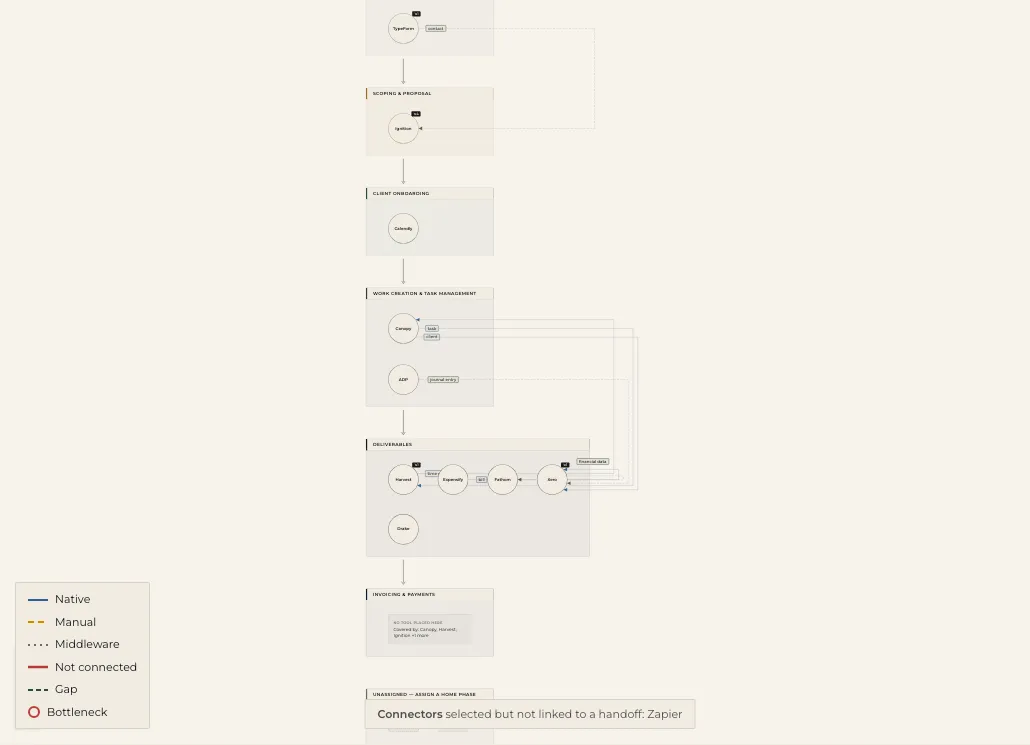
Your stack drawn across the six phases of client work, exactly as it runs today — every handoff typed as native, manual, middleware, or not connected. Inefficiencies included; nothing invented.
Act on the findings
Scored, source-cited findings — integrations you could turn on, duplicate tools, uncovered phases — and a recommended view showing your map with those changes applied.
The current state
Six phases. Every tool. Nothing invented.
The change ledger
The recommended view is a diff, not a wish list
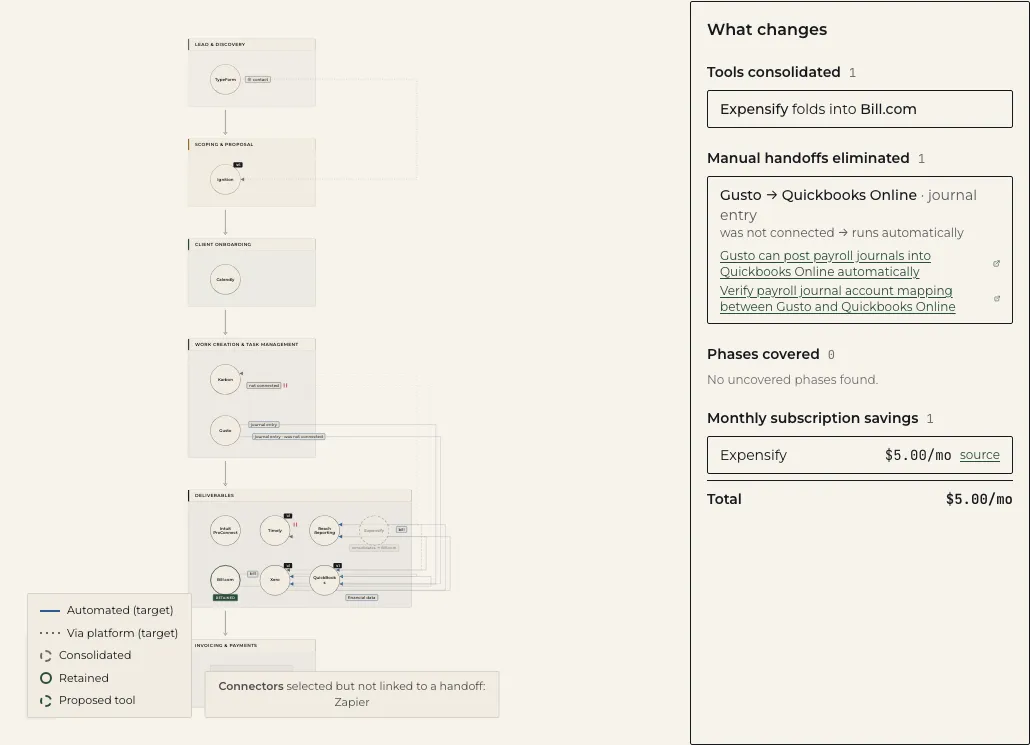
Every change on the recommended view traces to a finding, and the ledger totals what those changes eliminate: tools consolidated, manual handoffs removed, phases covered, and the monthly subscriptions you stop paying — priced only from verified vendor pricing pages, never estimates.
What you get
Built to be trusted, not just admired
A map you can defend
Deterministic and explainable: the same answers always draw the same map, and every element traces to something you said or a cataloged fact.
Findings that cite their source
Each finding names the verified vendor integration, published rule, or accounting invariant behind it — never a hunch.
The change ledger
The recommended view is a diff of today versus the stack you should run: tools consolidated, manual handoffs eliminated, phases covered, and monthly subscription savings from verified vendor pricing only.
Every phase accounted for
All six phases of client work stay visible — including the ones no tool covers today. A gap is a finding, not a blind spot.
Free to see, paid to act
The free tier shows your full current-state map with deeper findings as counts; paid names every finding and links each fix to a vendor-proof playbook.
Built for small firms
The catalog, phases, and rules are specific to accounting and bookkeeping practices under ten people — not generic business-process software.
Stay close
Get product updates
The tool is live — this list is for release notes, new catalog coverage, and early access to paid features.